
CNC Viewer 3D6.3 - Google Play
You'll be able to see results in few seconds.
Publisher Description
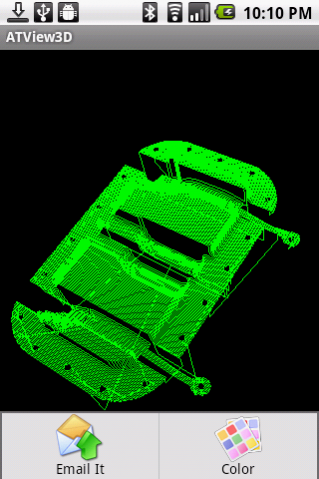
This is a great 3D NC data file viewer. It supports the most popular CAD / CAM / CNC data file formats including gcode ( g-code ) and apt file. With help of this app, you can take your nc files with you no matter where you are, at home or traveling abroad, and view them with your phone (or tablet) in any way you want, for instance, changing different zoom level, different color, different perspective, etc.
The app provides many 3D features including rotating model with finger movement, zooming in/out, changing color, etc. It is very easy to use. No training is necessary.
The app also supports visualizing multiple image formats, including png, jpeg, bmp, etc. You can use it to manage your machining project pictures together with nc data file for comparision purpose. The app also provides features for you to have a peek at the raw data of data files in ascii (text) or binary format.
3D data files can be added to the app's external storage folder called 'afanche'. Just connect your phone (or tablet) with a PC and copy your 3D models to the 'afanche' folder of the device. After that, you can use the app to load the models you saved in the directory. If you have files in system 'download' folder of your device, the app can open them as well. You can also use the app to open files from email(attachment) or web (by downloading). The app also supports third party file management app, for instance, DropBox.
If you don't need some of the files any more, you can use the app to delete them. If you need share 3D model with your friend, coworker, client or partner, you can use the in-app email feature to send your model out as email attachment.
The app is part of ATView3D 3D visualization tool family developed by Afanche Technoologies. If you need Android, iPhone, iPad, Windows app for other 3D file formats, please search 'Afanche' to find more 3D oriented apps. Afanche Technologies is a company specialized in 3D technologies. Afanche provides customized 3D programming solutions for mobile, web and desktop. For more info, please visit our website http://www.afanche.com.
If you are not familar with G-Code format, here is more info (From Wikipedia):
G-codes are also called preparatory codes, and are any word in a CNC program that begins with the letter "G". Generally it is a code telling the machine tool what type of action to perform, such as:
Rapid move (transport the tool through space to the place where it is needed for cutting; do this as quickly as possible)
Controlled feed move in a straight line or arc
Series of controlled feed moves that would result in a hole being bored, a workpiece cut (routed) to a specific dimension, or a profile (contour) shape added to the edge of a workpiece
Set tool information such as offset
Switch coordinate systems
For more info, please visit wikipedia.
About CNC Viewer 3D
The company that develops CNC Viewer 3D is Afanche Technologies. The latest version released by its developer is 6.3.
To install CNC Viewer 3D on your Android device, just click the green Continue To App button above to start the installation process. The app is listed on our website since 2019-02-02 and was downloaded 0 times. We have already checked if the download link is safe, however for your own protection we recommend that you scan the downloaded app with your antivirus. Your antivirus may detect the CNC Viewer 3D as malware as malware if the download link to com.afanche.android.ATViewNC is broken.
How to install CNC Viewer 3D on your Android device:
- Click on the Continue To App button on our website. This will redirect you to Google Play.
- Once the CNC Viewer 3D is shown in the Google Play listing of your Android device, you can start its download and installation. Tap on the Install button located below the search bar and to the right of the app icon.
- A pop-up window with the permissions required by CNC Viewer 3D will be shown. Click on Accept to continue the process.
- CNC Viewer 3D will be downloaded onto your device, displaying a progress. Once the download completes, the installation will start and you'll get a notification after the installation is finished.
Program Details
System requirements
Download information
Pricing
Version History
version 6.3
posted on 2019-02-02
Disclaimer
Official Google Play Link
We do not host CNC Viewer 3D on our servers. We did not scan it for viruses, adware, spyware or other type of malware. This app is hosted by Google and passed their terms and conditions to be listed there. We recommend caution when installing it.
The Google Play link for CNC Viewer 3D is provided to you by apps112.com without any warranties, representations or guarantees of any kind, so access it at your own risk.
If you have questions regarding this particular app contact the publisher directly. For questions about the functionalities of apps112.com contact us.
